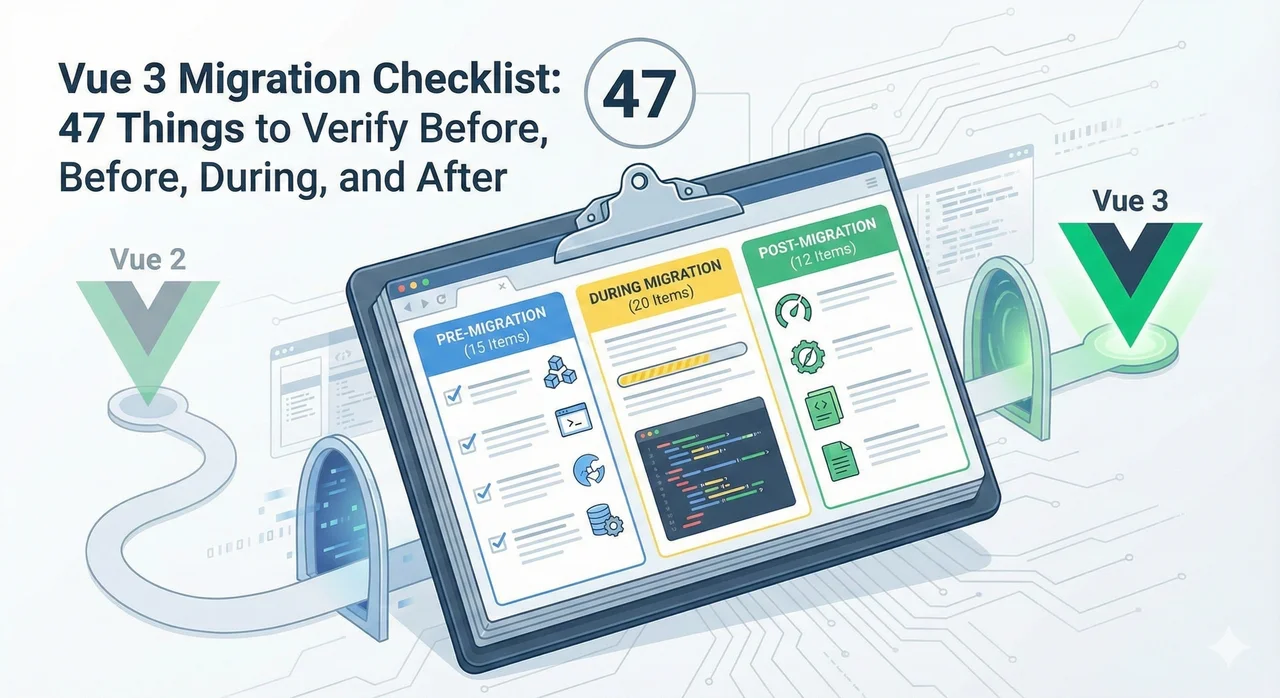
Migrations fail not because of one big mistake, but because of dozens of small things that slip through the cracks. This checklist is designed to be exhaustive—every item represents something we've seen cause problems in real migrations.
For context on timelines and costs, see our migration timeline guide and cost estimation guide.
12
Pre-Migration
18
Core Migration
9
UI Library
8
Post-Migration
Pre-Migration Audit
12 items • Do this BEFORE writing any migration code
Run the Vue Migration Helper
Install @vue/compat and check console for deprecation warnings. Document every warning.
Count Vue components
Run find . -name "*.vue" | wc -l to get total count. This determines timeline.
Audit all npm dependencies for Vue 3 compatibility
Check each Vue-related package. Note which need updates, replacements, or removal.
Identify UI component library
Vuetify 2, BootstrapVue, Element UI? This is your biggest risk factor. Plan the migration path now.
Document Vuex store structure
Count modules, note plugins, check for namespacing. Complex stores take longer to migrate to Pinia.
Search for filter usage
grep -r "| " --include="*.vue" — Filters are removed in Vue 3. Plan replacements.
Search for $listeners and $attrs usage
These patterns changed significantly. $listeners is merged into $attrs.
Search for .native event modifier
grep -r "\.native" --include="*.vue" — Removed in Vue 3. Needs refactoring.
Check for mixin usage
Mixins work in Vue 3 but should be converted to composables. Document all mixins.
Document build tool configuration
Vue CLI? Custom Webpack? Note all custom configurations that need migration.
Assess test coverage
Run coverage report. Low coverage = more manual QA needed. High coverage = tests need migration too.
Create migration branch and backup
Never migrate on main. Create a dedicated branch. Tag current production state.
Core Migration Tasks
18 items • The main migration work
Build & Dependencies
Update Vue to 3.x
npm install vue@3 — Start with @vue/compat if migrating incrementally.
Update Vue Router to v4
npm install vue-router@4 — Review breaking changes in router setup.
Install Pinia (replacing Vuex)
npm install pinia — See our Pinia migration guide.
Update/migrate build tool
Migrate to Vite (recommended) or update Vue CLI to v5.
Update all Vue-related dependencies
Check each package noted in audit. Update, replace, or remove as needed.
App Entry Point
Update main.js/main.ts to use createApp()
Replace new Vue() with createApp(). Chain .use() for plugins.
Update router configuration
Use createRouter() and createWebHistory(). Update route guards if needed.
Register Pinia in app
app.use(createPinia()) — Can coexist with Vuex during migration.
Component Syntax Changes
Remove all filters, replace with methods/computed
{{ value | filter }} → {{ filter(value) }} or computed property.
Update slot syntax
slot="name" → v-slot:name or #name.
Remove .native event modifiers
@click.native → Use emits option or @click directly.
Update v-model usage
v-model now uses modelValue prop and update:modelValue event.
Add emits option to components
Declare all emitted events in emits: ['event-name'] for better documentation.
Update $listeners → $attrs
$listeners is merged into $attrs. Update any manual forwarding.
Update lifecycle hooks in components using render functions
destroyed → unmounted, beforeDestroy → beforeUnmount.
State Management
Convert Vuex modules to Pinia stores
One Pinia store per Vuex module. Remove mutations, keep actions.
Update component store usage
Replace mapState, mapGetters, etc. with storeToRefs().
Remove Vuex when all stores migrated
npm uninstall vuex — Only after all modules are converted and tested.
UI Library Migration
9 items • If using Vuetify, BootstrapVue, etc.
⚠️ UI library migration often takes as long as the rest of the migration combined.
See our guides: Vuetify playbook | BootstrapVue alternatives
Install Vue 3 version of your UI library
Vuetify 3, Element Plus, Bootstrap Vue Next, etc. Check for beta/stable status.
Create component mapping document
Map every old component to its new equivalent. Note prop and slot changes.
Update global component registration
Vuetify, Element, etc. have different registration patterns in Vue 3.
Migrate each component systematically
Work through one component type at a time. Test each before moving to next.
Update SCSS/CSS variables and themes
Theme customization APIs often change significantly between major versions.
Handle deprecated/removed components
Some components may not exist in new version. Find alternatives or build custom.
Test responsive behavior
Grid systems and breakpoint utilities may have changed. Test all screen sizes.
Verify accessibility
Run axe or similar tool. New library versions may have different a11y patterns.
Remove old UI library
Only after all components migrated and tested. Check for stray imports.
Testing & Post-Migration
8 items • Verify everything works
Update Vue Test Utils to v2
npm install @vue/test-utils@2 — Required for Vue 3 component testing.
Migrate Jest to Vitest (if using Vite)
Vitest integrates better with Vite. Update test configuration and scripts.
Fix all broken unit tests
Mount APIs changed. Update wrapper methods and assertions.
Run E2E tests (Cypress/Playwright)
E2E tests should mostly work unchanged. Fix any failures.
Manual QA of critical user flows
Test login, checkout, form submissions—any business-critical paths manually.
Performance benchmarking
Run Lighthouse. Compare bundle size and load times to pre-migration baseline.
Remove @vue/compat (if used)
Only after all compat warnings are resolved. Switch to regular Vue 3.
Monitor production after deploy
Watch error tracking (Sentry, etc.) closely for first 2 weeks post-deployment.
Need a Printable Version?
This checklist is comprehensive but designed for reading on screen. For a spreadsheet version you can track progress in, request our Migration Readiness Audit—it includes a customized checklist based on your specific codebase.
Get Customized ChecklistOverwhelmed by the Checklist?
47 items is a lot to track. Our Migration Readiness Audit identifies which items apply to your project, prioritizes them, and gives you a clear action plan with timeline and fixed-price quote.
✓ Customized checklist for your codebase ✓ Priority-ordered tasks ✓ 7-day turnaround
Conclusion
This 47-item checklist covers everything we verify in our Vue 3 migrations. Not every item applies to every project—if you don't use Vuetify, skip the UI library section. If you don't have filters, skip that item.
The key is to work systematically. Don't jump around. Don't assume things work without testing. And don't rush the audit phase—it prevents surprises later.
Bookmark this page and come back to it as you work through your migration. And if you get stuck, you know where to find us.