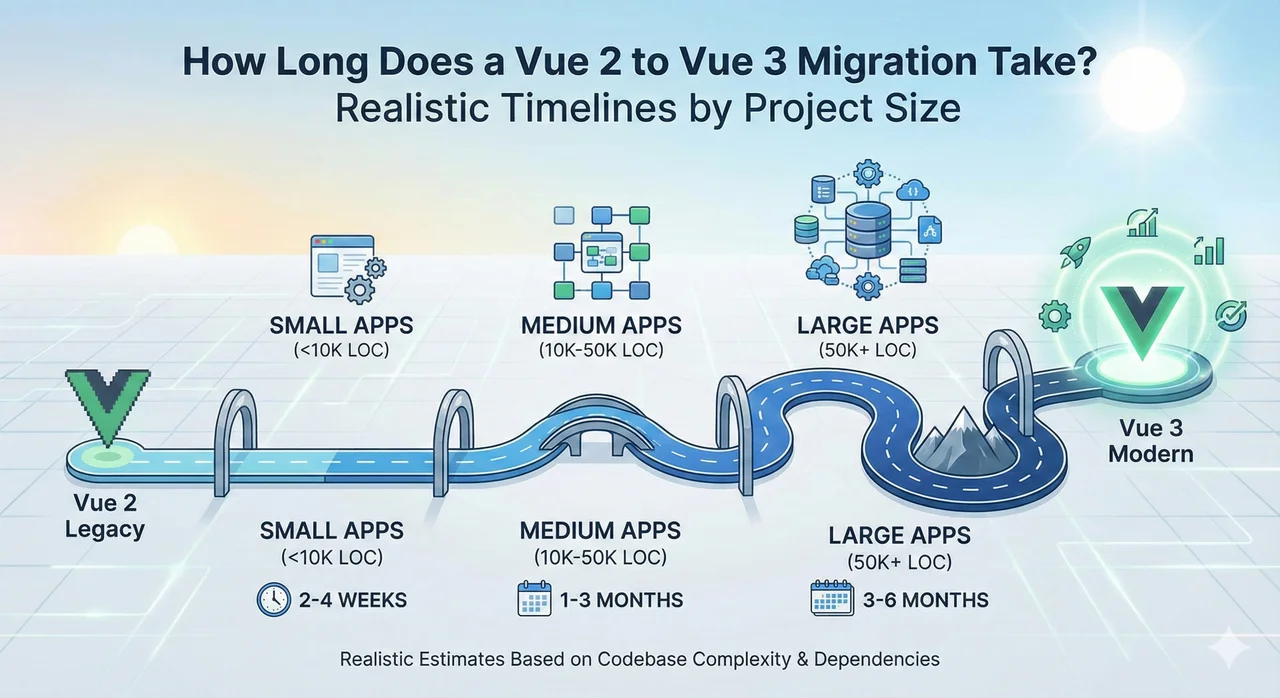
Vue 3 migration timelines are notoriously hard to estimate. We've seen teams predict "2 weeks" and finish in 4 months. We've also seen teams budget 6 months and finish in 8 weeks. The difference comes down to understanding what actually takes time in a migration—and it's rarely what you expect.
This guide gives you realistic timelines based on project size and complexity, plus the factors that can extend or compress your schedule. For cost estimates to go with these timelines, see our Vue 2 to Vue 3 migration cost guide.
The Quick Answer: Migration Timelines by Project Size
If you just want ballpark numbers, here they are. But keep reading—these ranges assume dedicated migration effort, not part-time work squeezed between feature development.
Vue 2 to Vue 3 Migration Timeline Estimates
| Project Size | Components | Dedicated Team | Part-Time (50%) |
|---|---|---|---|
| Small | < 50 | 2-4 weeks | 4-8 weeks |
| Medium | 50-150 | 4-8 weeks | 2-4 months |
| Large | 150-400 | 2-4 months | 4-8 months |
| Enterprise | > 400 | 4-8 months | 8-12+ months |
Based on projects with standard complexity. UI library migrations (Vuetify, BootstrapVue) can add 30-50% to these timelines.
The Part-Time Trap
Part-time migrations take more than 2x longer than dedicated migrations—not just 2x. Context switching, competing priorities, and momentum loss compound the delay. If possible, dedicate a team to finish the migration quickly rather than dragging it out.
The 5 Phases of Vue 3 Migration (With Time Estimates)
Every Vue 3 migration follows roughly the same phases. Here's how long each typically takes and what's involved.
Audit & Planning
Before writing any migration code, you need to understand the scope. A proper audit identifies all breaking changes, incompatible dependencies, and high-risk areas.
What's Involved:
- • Dependency compatibility analysis
- • Deprecated API usage scan
- • Component complexity assessment
- • UI library migration path evaluation
- • Risk assessment and mitigation planning
- • Timeline and resource estimation
⚡ This phase is often rushed or skipped—that's why so many migrations go over schedule. A thorough audit pays for itself.
Build Tool & Infrastructure
Update your build configuration, move from Vue CLI to Vite (if applicable), and set up the migration infrastructure.
What's Involved:
- • Vue 3 + @vue/compat mode setup
- • Vite configuration (if migrating from Webpack)
- • TypeScript configuration updates
- • ESLint/Prettier rule updates
- • CI/CD pipeline adjustments
⚡ Custom Webpack configurations can significantly extend this phase. Standard Vue CLI projects are faster.
Core Migration
This is the bulk of the work: updating components, removing deprecated patterns, migrating Vuex to Pinia, and updating routing.
What's Involved:
- • Remove
$listenersand$attrspatterns - • Update slot syntax (
slot→v-slot) - • Migrate filters to computed properties/methods
- • Update event handling (
.nativemodifier removal) - • Vuex → Pinia migration (see our Pinia guide)
- • Vue Router 3 → 4 updates
- • Third-party dependency updates
⚡ Using @vue/compat mode lets you migrate incrementally, but adds complexity. Direct migration is faster when feasible.
UI Library Migration
If you're using Vuetify 2, BootstrapVue, or another Vue 2-specific UI library, this phase often takes as long as everything else combined.
| UI Library | Migration Path | Time Multiplier |
|---|---|---|
| No UI library | N/A | 1.0x |
| Element UI | → Element Plus | 1.3x |
| BootstrapVue | → Bootstrap Vue Next / Alternative | 1.5x |
| Vuetify 2 | → Vuetify 3 | 1.8-2.2x |
⚡ UI library migration is the #1 schedule risk. See our Vuetify migration playbook or BootstrapVue alternatives guide.
Testing & Stabilization
Migrate your test suite, run comprehensive QA, and fix the issues that surface. Don't skip this—migration bugs in production are expensive.
What's Involved:
- • Update Vue Test Utils to v2
- • Migrate Jest to Vitest (if using Vite)
- • Fix broken tests
- • Manual QA of critical flows
- • Performance regression testing
- • Bug fixing and stabilization
7 Factors That Extend Your Timeline
These are the schedule killers we see most often. If any apply to your project, add buffer time accordingly.
1. Vuetify 2 or BootstrapVue usage
+50-120%These libraries require significant rework. Every component using them needs manual migration.
2. Custom Webpack configuration
+20-40%Complex build setups need careful translation to Vite or Vue CLI 5.
3. Large Vuex store with complex modules
+15-30%Migrating 10+ Vuex modules to Pinia with plugins and namespacing takes significant time.
4. Heavy use of mixins
+15-25%Mixins need to be converted to composables. Complex mixins with naming conflicts are especially tricky.
5. Abandoned or incompatible dependencies
+10-30%Each incompatible package needs an alternative or custom solution.
6. Low test coverage
+10-20%Without tests, you need more manual QA and risk finding bugs later.
7. Part-time allocation
+100-150%Context switching destroys migration momentum. Half-time work takes more than twice as long.
Sample Timelines: Real-World Scenarios
Here's what migrations actually look like for different types of applications:
Scenario A: Simple Internal Tool
3-4 weeksCharacteristics:
- • 40 components
- • Tailwind CSS (no UI library)
- • Simple Vuex store (2 modules)
- • Standard Vue CLI setup
- • 1 dedicated developer
Timeline Breakdown:
- • Audit: 2 days
- • Build tool: 2 days
- • Core migration: 2 weeks
- • Testing: 4 days
Scenario B: SaaS Product with Element UI
8-10 weeksCharacteristics:
- • 120 components
- • Element UI → Element Plus
- • Moderate Vuex (5 modules)
- • 200 unit tests
- • 2 dedicated developers
Timeline Breakdown:
- • Audit: 1 week
- • Build tool: 1 week
- • Core migration: 3 weeks
- • UI library: 2 weeks
- • Testing: 2 weeks
Scenario C: Enterprise Platform with Vuetify
4-5 monthsCharacteristics:
- • 350 components
- • Heavy Vuetify 2 usage
- • Complex Vuex (12 modules)
- • Custom Webpack config
- • 400 tests
- • 3 dedicated developers
Timeline Breakdown:
- • Audit: 1 week
- • Build tool: 2 weeks
- • Core migration: 5 weeks
- • Vuetify 2 → 3: 6 weeks
- • Vuex → Pinia: 2 weeks
- • Testing: 3 weeks
5 Tips to Compress Your Timeline
Dedicate a team full-time
This is the single biggest accelerator. A dedicated team can finish in 1/3 the time of a part-time effort. Pause feature development for a sprint or two—it's worth it.
Skip @vue/compat when possible
The compatibility layer is helpful for incremental migration but adds complexity. For smaller projects, a direct migration is often faster overall.
Automate what you can
Use codemods for repetitive changes (slot syntax, filter removal). Tools like vue-codemod can handle many transformations automatically.
Invest in the audit phase
A thorough upfront audit prevents surprises mid-migration. Teams that rush the audit often spend more time debugging unexpected issues later.
Consider expert help
Migration specialists have seen the pitfalls before. What takes your team weeks of debugging might be a known issue with a known fix. The cost often pays for itself in time saved.
Timeline Planning Checklist
Before committing to a timeline, make sure you've answered these questions:
Get Your Personalized Migration Timeline
Every project is different. Our Migration Readiness Audit analyzes your specific codebase and gives you a realistic timeline you can share with stakeholders—plus a fixed-price quote if you'd like us to execute it.
✓ Detailed timeline breakdown ✓ Risk assessment included ✓ 7-day turnaround
Conclusion
Vue 3 migration timelines vary dramatically based on your project's size, complexity, and—critically—your UI library choices. A small app without Vuetify might take 3 weeks. An enterprise Vuetify application might take 5 months.
The key to accurate planning is understanding your specific situation. Don't rely on generic estimates. Audit your codebase, identify the risk factors, and plan accordingly.
And if possible, dedicate a team full-time. A focused 6-week effort beats a dragged-out 6-month slog every time. Your developers will thank you, and you'll be on Vue 3 faster than you expected.